
How to Type in Punjabi (Gurmukhi) Using a Hindi Keyboard? (Hindi InScript to Punjabi InScript Complete Guide)
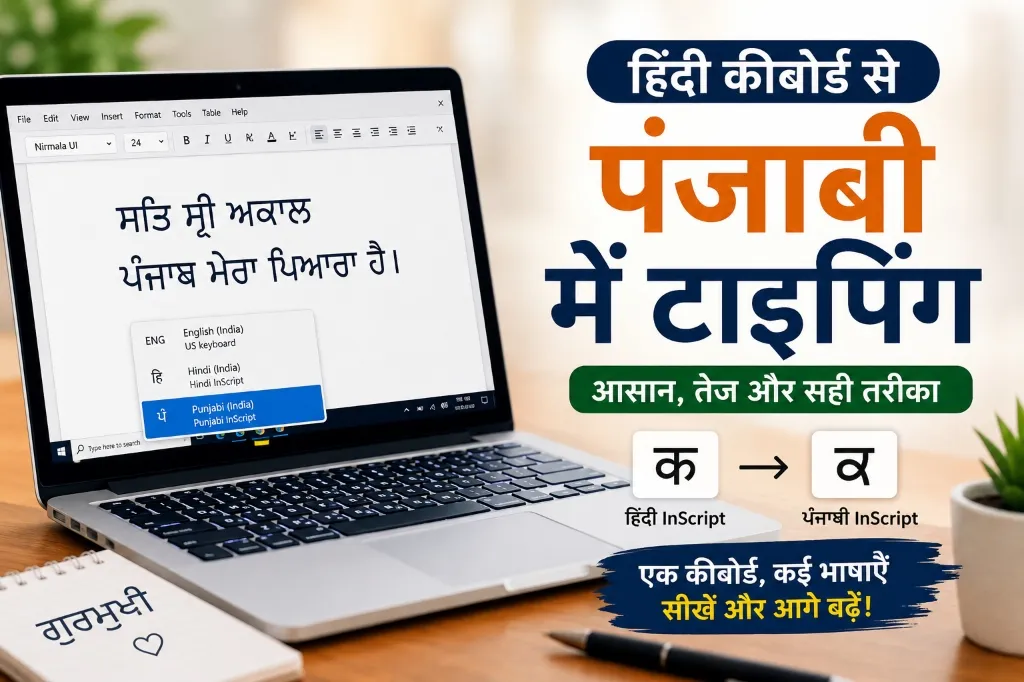
If you already know how to type on a Hindi InScript Keyboard and now want to learn typing in Punjabi (ਗੁਰਮੁਖੀ / Gurmukhi), there is good news for you. You don't need to learn a new keyboard right from the scratch.
The biggest feature of InScript (Indian Script Keyboard Layout) developed by the Government of India is that it is based on a common principle for almost all major Indian languages. If your fingers have already memorized the positions of the Hindi InScript keyboard, learning Punjabi InScript becomes relatively easier.
In this detailed guide, we will learn how to type in Punjabi (Gurmukhi) using a Hindi InScript keyboard, how to activate Punjabi InScript in Windows and macOS, what are the similarities between the Hindi and Punjabi keyboards, what letters are different, and what strategy should be adopted to learn Gurmukhi typing quickly.
---
# What is Gurmukhi?
Gurmukhi is the official script of the Punjabi language. It is primarily used in the Punjab state of India, and many religious, literary, and administrative documents including the Guru Granth Sahib are written in this script.
Today, Gurmukhi is used in many areas like—
* Government tasks * Education * News * Publishing * Websites * Social Media * Content Writing
---
# Can Punjabi be typed using a Hindi keyboard?
Yes.
If you mean the Hindi InScript Keyboard, then the answer is—Yes, absolutely.
You do not need to change the physical keyboard hardware. You only have to change the Input Language in your computer from Hindi InScript to Punjabi InScript.
That is, the QWERTY keyboard will remain the same, but the output will be in Gurmukhi instead of Hindi.
---
# What is the relationship between Hindi InScript and Punjabi InScript?
The InScript Layout follows a uniform design principle for all Indian languages.
Its biggest advantage is that—
* Finger positions remain almost the same. * Vowels and consonants are arranged in similar groups. * Learning touch typing becomes easy. * Learning a new Indian language takes less time.
If you have learned Hindi InScript well, learning Punjabi InScript becomes quite easy.
---
# Do I have to buy a new keyboard?
No.
The standard English (QWERTY) keyboard is sufficient.
You only have to add the Punjabi InScript Input to the operating system.
---
# How to add Punjabi InScript in Windows 10 and Windows 11?
If you are a Windows user, you can easily add the Punjabi keyboard just like our guide on How to set up Hindi InScript Keyboard on Windows 10/11 and macOS:
Step 1
Open Settings.---
Step 2
Go to Time & Language.---
Step 3
Open Language & Region (Windows 11) or Language (Windows 10).---
Step 4
Click on Add Language.---
Step 5
Type in the Search Box—Punjabi
---
Step 6
Install the Punjabi language.---
Step 7
Open Language Options.---
Step 8
In the Keyboard section, addPunjabi InScript
Now your system is ready for Gurmukhi typing.
---
# How to add Punjabi InScript in macOS?
If you use a MacBook or iMac—
* Open System Settings. * Select Keyboard. * Go to Text Input. * Open Input Sources → Edit. * Press "+". * Search for Punjabi. * Select Punjabi – InScript. * Click on Add.
Now you can type in Gurmukhi on macOS.
---
# How to switch from Hindi to Punjabi?
In Windows—
* Windows + Space * or Alt + Shift (if enabled)
In macOS—
* Control + Space
You can easily switch between Hindi and Punjabi using these.
---
# Why do those who know Hindi InScript find Punjabi easier?
The reason for this is muscle memory.
If your fingers have already memorized the location of the keys for InScript, when learning a new language, only the letters change, not the typing habit. You can read in detail about the scientific basis behind this in our article Muscle Memory: The Scientific Way to Learn Fast Typing.
This is why Hindi typists often learn Punjabi, Marathi, Sanskrit, or other Indian languages relatively quickly. If you want to learn Marathi, you can also check our Hindi to Marathi Typing Guide.
---
# Are all keys exactly the same?
No.
Although the principle of the layout is the same, the characters of the two scripts are different.
For example—
* 'क' in Hindi → 'ਕ' in Punjabi * 'म' in Hindi → 'ਮ' in Punjabi * 'न' in Hindi → 'ਨ' in Punjabi * 'स' in Hindi → 'ਸ' in Punjabi
The letters change, but in many cases, the position of the key remains similar. To see the exact position of the keys, visit our Keyboard Layout Guide.
---
# How to learn Gurmukhi typing?
First Week
* Look at the Punjabi Keyboard Layout. * Identify common letters. * Memorize vowels and consonants.
---
Second Week
Type small words.
Like—
* ਪੰਜਾਬ * ਭਾਰਤ * ਸਕੂਲ * ਵਿਦਿਆਰਥੀ
---
Third Week
Type small sentences.
---
Fourth Week
Type news and paragraphs.
---
# How much should one practice daily?
If you already know Hindi InScript, then—
20–30 minutes daily
is enough.
With continuous practice, your muscle memory will develop quickly.
---
# What things to keep in mind initially?
* Increase Accuracy first. * Don't worry about speed. * Reduce the habit of looking at the keyboard. * Practice daily. * Use only one layout.
---
# Can Hindi typists learn Punjabi quickly?
Yes.
If you are comfortable in Hindi InScript, the speed of learning Punjabi is generally fast because—
* The habit of the fingers is maintained. * The principle of the layout is the same. * You do not have to restart touch typing.
---
# Common Mistakes
1. Leaving the Hindi Keyboard active
If Punjabi Input is not active, you won't be able to write Gurmukhi.
---
2. Confusion between Phonetic and InScript
Both are different Input Methods.
If your goal is to learn InScript, practice on it. If you want to translate phonetically from Hindi to Punjabi, you can use our Hindi to Punjabi Translator for direct typing without learning the keyboard.
---
3. Not practicing daily
Muscle memory is built through regular practice.
---
4. Trying to increase speed too quickly
Accuracy first, then Speed.
---
# Can Punjabi InScript also be used on mobile?
Some mobile keyboard apps support InScript or similar layouts for Indian languages.
However, most people use Phonetic Input on mobile.
If your purpose is professional typing or exam preparation, learning Punjabi InScript on a computer will be more useful.
---
# Benefits of learning Hindi and Punjabi InScript
* Easy to learn multiple Indian languages. * Useful in government jobs. * Multilingual typing facility. * Better touch typing. * Faster development of muscle memory.
---
# Tips for practice
Type daily—
* Punjabi news * Short articles * Excerpts from religious texts * Common sentences * Word lists
This will improve both your vocabulary and typing.
---
# FAQ
Is it easy to learn Punjabi InScript after knowing Hindi InScript?
Yes. Both layouts follow the same design principle, so it is relatively easier to learn.
---
Do I have to buy a new keyboard?
No.
The standard QWERTY keyboard is sufficient.
---
Is Punjabi InScript pre-available in Windows?
Yes.
It can be added from Language Settings in Windows 10 and Windows 11.
---
Is Punjabi InScript also available in macOS?
Yes.
The Punjabi Input Source is available in the latest macOS versions.
---
Can I switch instantly between Hindi and Punjabi?
Yes.
You can easily change the language using Windows + Space in Windows and Control + Space in macOS.
---
# Conclusion If you already know Hindi InScript, learning Punjabi (Gurmukhi) InScript will be relatively easier for you. You don't need to buy a new keyboard or completely change your typing technique. Just add Punjabi InScript Input to your computer and start regular practice. Since both layouts are based on a uniform design principle, your already developed muscle memory will play a crucial role in learning the new language.
Focus on accuracy in the beginning, practice 20–30 minutes every day, and gradually move from words to sentences and paragraphs. After a few weeks of regular practice, you will be able to type in Gurmukhi with more confidence and speed. Whether your goal is multilingual typing, government work, content writing, or learning the Punjabi language, Punjabi InScript is an excellent and long-term option.