
Unicode and the Mangal font: Everything you need to know (Complete Guide)
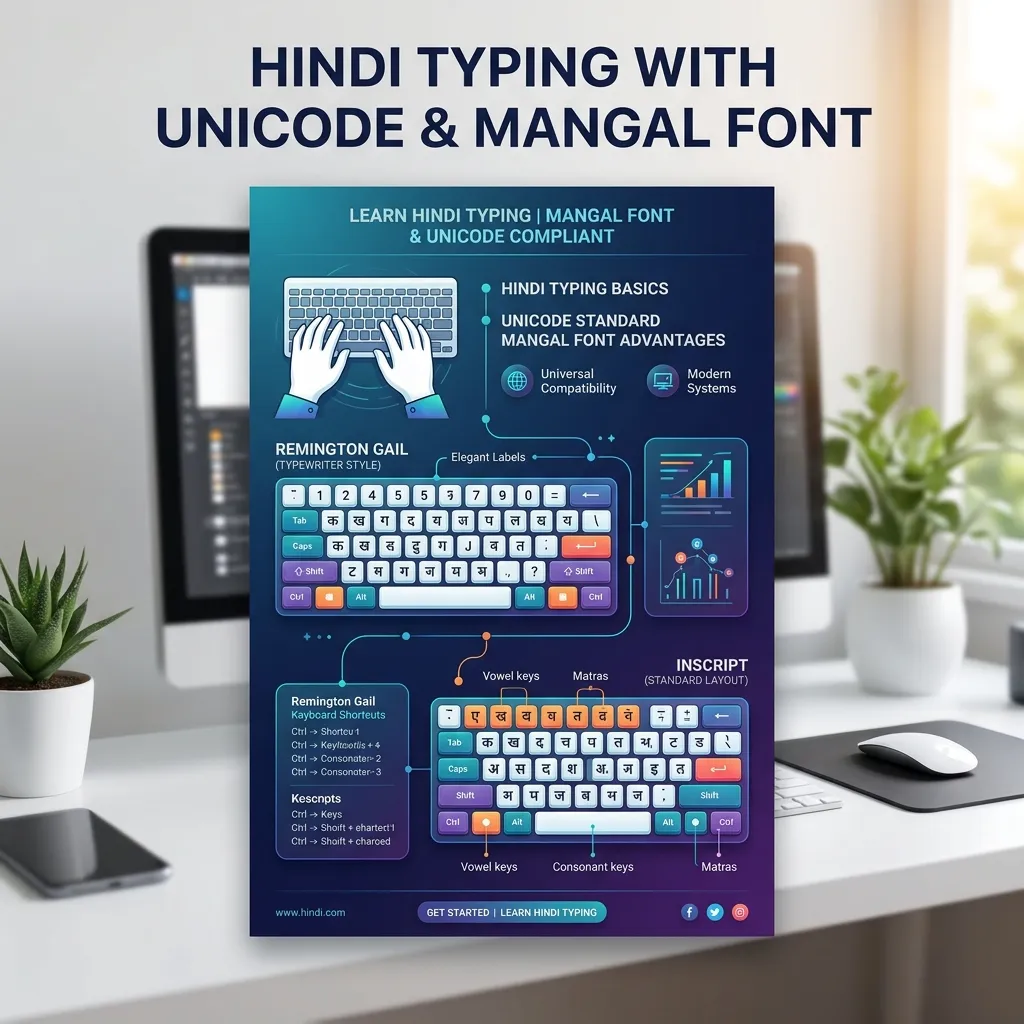
If you are preparing for typing test for any government job in India (like SSC CGL/CHSL, State Level Clerk, High Court, Secretariat or Police Department), then you must have heard about Unicode and Mangal Font.
Often there is a lot of confusion in the minds of new students regarding these two technical terms. They think that: * Do I have to install Mangal font separately? * Does Unicode have a different keyboard layout? * What is the difference between Mangal font and KrutiDev? * Which keyboard layout should one choose in the exam?
If you also have such questions in your mind, then this article will clear all your doubts. In this detailed guide, we will discuss the technology behind Unicode, the role of Mangal fonts, the keyboard layouts available, a comparison with KritiDev, and the best strategies for exam preparation.
---
# What is Unicode?
In simple words, Unicode is an international standard (Universal Character Encoding Standard) that assigns a unique binary code (unique number) to every letter, number, and symbol in almost all written languages of the world.
Whether it's a computer, smartphone, or tablet—and whether the operating system is Windows, Mac, Android, or iOS, the encoding of characters is always the same because of Unicode.
Why was Unicode needed? (History and Problem)
Before the invention of Unicode, different countries and software companies created different coding systems (such as extended forms of ASCII) for their own languages. Non-Unicode fonts like KrutiDev, Chanakya, Devlys were used for Hindi typing.
The three biggest problems with these old fonts were:
Unicode solved all these problems. Today if you type 'अ' using Unicode, its code is U+0905, which will always appear as 'अ' on every digital device in the world.
---
# What is Mangal font?
Mangal is actually the name of a specific font designed specifically for the Devanagari (Hindi) script by Microsoft. This font is completely based on Unicode standards.
Main Features of Mangal Font:
* In-Built Availability: Mangal Font does not require you to download it from the internet. It comes pre-installed in Windows operating systems (Windows 10, Windows 11 etc.). * Web Friendly: Any word written in Mangal font is searchable on the internet and can be easily displayed on any website. * OpenType Technology: It has advanced capabilities to combine letters, place quantities and display combined letters accurately.
> Important Facts: Government departments and commissions (like Staff Selection Commission - SSC, State Secretariat, High Court) have mandated Mangal font (Unicode) for standardization of Hindi documentation.
---
# Unicode based Hindi keyboard layouts
Students often make the mistake of considering "Unicode", "Mars Font" and "Keyboard Layout" as the same thing.
* Unicode is a coding technology. * Mars is a font. * Keyboard layout is the medium by which you type characters by pressing keys.
Mainly two types of keyboard layouts under Unicode are used in government examinations:
1. InScript Keyboard Layout
This is the standard keyboard layout approved and scientifically designed by the Government of India. It works on a similar pattern for all Indian languages (Hindi, Marathi, Punjabi, Gujarati etc.).
* Specialty: In this, all the vowels are arranged on the left hand side and all the consonants are arranged on the right hand side. * Speed advantage: Since the vowels and consonants are divided between the two hands, the fingers have to travel very less distance, which increases the typing speed rapidly. * Usage: This layout is in-built in Windows and is very easy to activate. You can read our How to set up Hindi Inscript keyboard on Windows 10/11 and macOS guide for step-by-step information.
2. Remington Gail Keyboard Layout
The layout is based on old mechanical typewriters and the same keyboard mapping as the Kritadev font.
* Feature: Candidates who already have practice on typewriter or Kritidev easily use it to type under Unicode. * Usage: This requires additional software (such as Microsoft Input Tool or Indic Input 3) to be installed in Windows.
---
# Unicode (Mars) vs KrutiDev (KrutiDev) font
Every candidate preparing for a government job should clearly understand the difference between these two:
| Features/Differences Unicode (Mangal Font) | Kritidev (non-Unicode font) |
|---|
| System Compatibility | Works on every device without any special fonts. | Opens only on computers where this font is installed. |
|---|---|---|
| Search Engine Optimization | Completely search-friendly (SEO friendly). | Search engines cannot read its characters. |
| Demand in government examinations Currently mandatory in more than 90% of government examinations. | Limited to only some specific state level examinations. | |
| Keyboard Layout | Support for both InScript and Remington Gal. | Support of Remington (Kritidev) layout only. |
| Display on Internet | Looks perfect on Facebook, WhatsApp, emails and websites. | Only garbage characters are visible on the internet. |
If you have Krutidev data from old files that you want to convert to modern Unicode, you can use our How to convert from Unicode to Hindi (Krutidev) tools and guide.
---
# Use of Mangal font in government examinations
Typing tests on Mangal font with different keyboard layouts are conducted in various competitive exams:
* SSC CGL and CHSL: Mainly for Data Entry Test (DEST), option of both InScript and Remington Gail is given. Study our SSC CGL and CHSL Hindi Typing Test Rules and Success Strategy guide for rules and detailed strategy for this exam. * UPSSSC (Uttar Pradesh): Remington Gal or InScript layout on Unicode based Mangal font is used for Hindi typing in Junior Assistant exam. * MP CPCT (Madhya Pradesh): Here also Mangal font is mandatory, with candidates being given the freedom to choose between Inscript and Remington Gal. * High Court Recruitment: Mangal font with Remington Gall layout is extensively used in Rajasthan, Allahabad and Madhya Pradesh High Court examinations.
---
# How to enable Mangal font and Hindi keyboard on computer?
Since the Mangal font is already present in Windows, all you need to do is activate the Hindi language input.
##Method to activate InScript keyboard in Windows 10/11:
---
# Important things and problems to keep in mind in Mangal font typing
When new students start typing on Mars fonts (especially InScript or Remington Gall), they face some problems. Here are their simple solutions:
1. How to type half character?
To type half letter in Unicode, Halant (छ) is used after the letter. * *Example:* If you want to write "satya", you would type: स + त + हलंत (ष) + य. The computer will automatically change this to "true".2. Use of Nukta letters
Bindi (Nukta) is placed in Hindi words of Urdu or Persian origin (like Q, Kh, Gha, Z, Fa). * *In InScript:* After typing the letter, pressing the ] (bracket) key puts a point.3. Typing compound characters
* क्ष: क + हलंत (छ) + श * त्र: त + हलंत (त) + र * ज्ञा: झ + हलंत (ष) + ञ * श्र: श + हलंत (छ) + र---
# Important tips for success in exams
---
#Frequently Asked Questions (FAQ)
Are Mangal Fonts and InScript the same?
No. Mangal is a Devanagari font, while InScript is a layout of keys on a keyboard. You can type in Mangal font using InScript keyboard.Do I have to pay to download Mangal Font?
no way. It comes completely free and pre-installed in Microsoft Windows.Can I use the Mars font on the Remington Gal layout?
yes of course. You can type Unicode in Mangal font on Remington Gal layout by installing Indic Input Tool in Windows.Which is better between Kritidev and Mangal font?
Mangal font (Unicode) is best and mandatory in present time from government jobs point of view. If you are a complete beginner, you should start practicing on Mangal font only.Does Mangal font work on mobile?
Yes. Since both Android and iOS operating systems support Unicode, the text displayed in Hindi on mobile is in Unicode (like Mangal or other Devanagari fonts).---
# conclusion
Unicode and Mangal font have given a new direction to the digital use of Hindi language. This has not only made the administrative functions of government offices more efficient and transparent, but has also made the exchange of information between different states and departments extremely easy.
If you are dreaming of getting into a government job, then learning Unicode based typing skills can prove to be a game changer for your career. This not only enhances your ability but also keeps you ahead of others on the exam day. Choose the right keyboard layout today, make the right strategy for your preparation and achieve success with regular practice.