
How to Type in Any Indian Language Using an English (QWERTY) Keyboard? (Complete Guide)
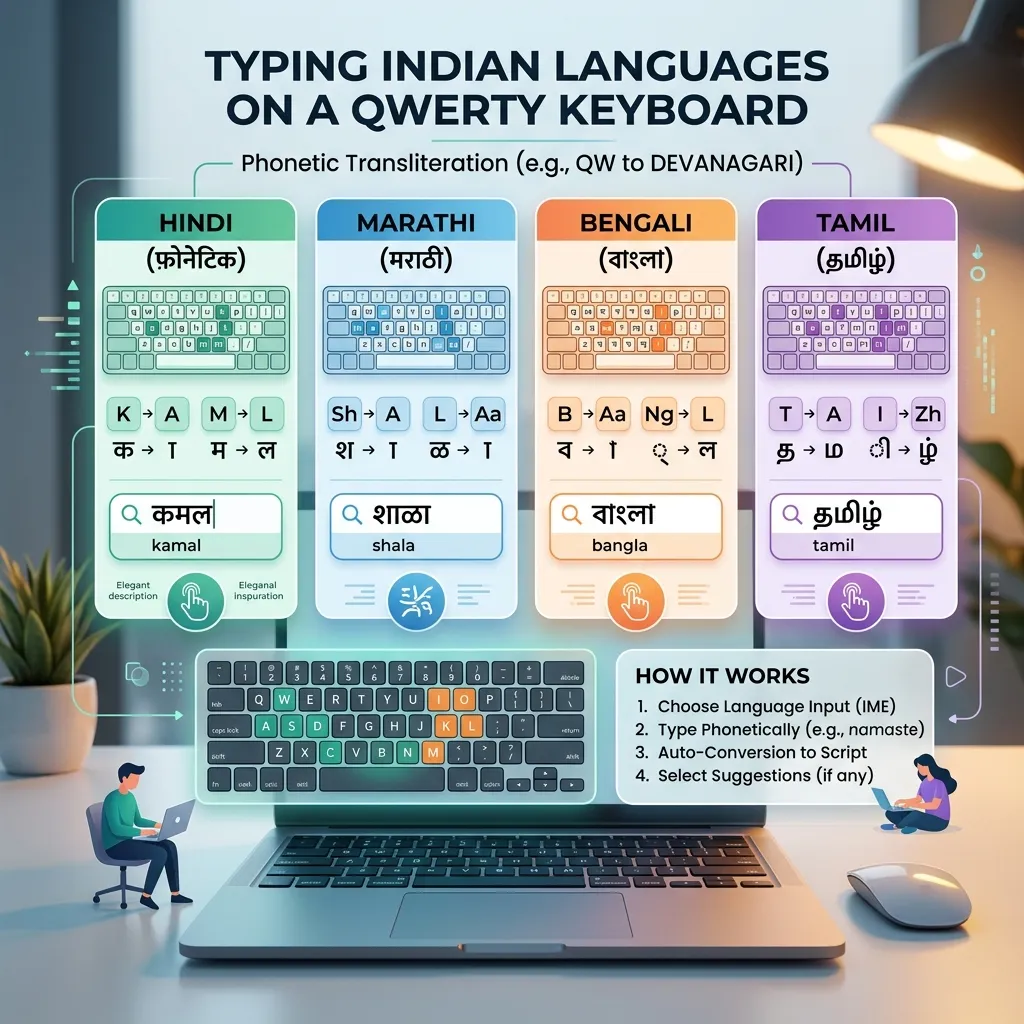
India is a country of diversities where hundreds of languages and dialects are spoken. Most people living in our country like to communicate, send messages, and write on social media in their mother tongue.
But when it comes to computers, laptops, or smartphones, the English QWERTY keyboard rules the digital world the most.
It is not possible for everyone to learn the specific keyboard layouts (like InScript or Remington) for languages like Bengali, Gujarati, Punjabi, Tamil, Telugu, or Malayalam. Learning these layouts requires weeks of practice and dedication.
So what is the solution? Is there any way by which we can type in any Indian language of our choice using our regular English keyboard?
Yes, absolutely! This is called Transliteration or Phonetic Typing. In this detailed guide, we will learn how you can easily type in major regional languages of India from an English keyboard without learning any complex keyboard layout.
---
# What is Phonetic Typing?
In simple words, Phonetic Typing (or Transliteration) is a technique in which you write in English letters (Roman Script) as the word is pronounced, and the computer/smartphone software converts it into the script of the respective Indian language in real-time.
* *For example:* If you type on the English keyboard—"namaste", it automatically becomes "नमस्ते" in Devanagari script on the screen. * Similarly: * Typing "Bharat" becomes "भारत". * Typing "kya haal hai" becomes "क्या हाल है".
This method is a boon for all those who know how to speak and read Hindi or other Indian languages but are not familiar with their traditional keyboard layouts (like InScript or Remington). To understand the deep differences between InScript and Remington keyboards, you can check our InScript vs Remington Keyboard Guide.
---
# TypeHindi.in Phonetic Translators Suite
At TypeHindi.in, we have introduced a very simple, ad-free, and fast solution to this problem. Our platform features phonetic transliteration tools for more than 11 Indian languages.
You do not need to download any extra software or specific fonts on your computer or mobile. Just visit our website, select your favorite translator, and start typing.
Major Available Transliteration Tools (Translators):
1. English to Bengali
If you want to write letters or social media posts in Bengali, use our `English to Bengali` tool. * *Example:* Type "ami tomake bhalobashi" -> the screen will show: "আমি তোমাকে ভালোবাসি".2. English to Marathi
For fast typing in the Marathi language, the `English to Marathi` translator is extremely useful. * *Example:* Type "tu kasa ahes" -> the screen will show: "तू कसा आहेस". For more information, read our Hindi to Marathi Translation and Typing Guide.3. English to Punjabi
To write in the Gurmukhi script of Punjabi, the `English to Punjabi` tool can be used. * *Example:* Type "ki haal hai" -> the screen will show: "ਕੀ ਹਾਲ ਹੈ". Also, check out our Hindi to Punjabi InScript Keyboard Guide.4. English to Gujarati
For correspondence in the Gujarati language, use `English to Gujarati`. * *Example:* Type "kem cho" -> the screen will show: "કેમ છો".5. English to Tamil
For Tamil, one of the major South Indian languages, our `English to Tamil` tool provides completely scientific mapping. * *Example:* Type "vanakkam" -> the screen will show: "வணக்கம்".6. Other Important Translators:
* English to Telugu: `English to Telugu` * English to Kannada: `English to Kannada` * English to Malayalam: `English to Malayalam` * English to Odia: `English to Odia` * English to Urdu: `English to Urdu` * English to Santhali: `English to Santhali`---
# How Does This Phonetic Tool Work? (Step-by-Step Guide)
Using transliteration tools on TypeHindi.in is very easy:
---
# Unicode Technology and Its Importance
All these transliteration tools are based on the Unicode standard. Its biggest advantage is that your typed text will never change on any device.
Three major benefits of Unicode: * Global Compatibility: You type on your laptop and send a message on WhatsApp, it will appear perfectly correct in Devanagari or Gurmukhi on the recipient's mobile, whether they have Android or iPhone. * Search Engine Friendly: Search engines (like Google) can easily read and understand Unicode-based characters. * No Hassle of Downloading Fonts: Unlike older fonts like KrutiDev, there is no need to send fonts to anyone in this. To learn more about Mangal font and Unicode, read our Unicode and Mangal Font Guide.
---
# An Advice for Candidates Aspiring for Government Jobs
If you are preparing for any government job (like SSC CGL/CHSL, state-level exams, or court clerk), remember that phonetic translators are not allowed in government typing tests.
There, you will only have to type on a specific keyboard layout like InScript or Remington Gail. * For SSC exam preparation, read our SSC CGL and CHSL Hindi Typing Rules guide. * To set up InScript on your computer, check out our Guide to Setting Up InScript Keyboard on Windows 10/11 and macOS. * For employment opportunities in government sectors, refer to the How to Build a Career by Learning Hindi Typing guide. * To correct typing mistakes, read 10 Most Common Mistakes in Hindi Typing.
---
# Frequently Asked Questions (FAQs)
Do I have to pay any fee to use these translator tools?
No, all transliteration and typing tools available on TypeHindi.in are completely free of charge.Do I need to download any font to type Bengali or Tamil?
Not at all. Since this technology is based on Unicode, the in-built fonts already in your computer and browser (like Mangal, Vrinda, Latha, etc.) are used automatically.Can I copy the typed text directly to WhatsApp or Facebook?
Yes, absolutely. Copy the text from the copy button given below the typing box and paste it directly on the platform of your choice (Ctrl + V or by long pressing to paste on mobile).Do these tools work offline too?
No, currently you need an active internet connection to use these tools.---
# Conclusion
Writing in your favorite regional languages is no longer difficult. The advanced and simple phonetic translation tools of TypeHindi.in have completely eliminated the language barrier. Now you can easily write in more than 11 languages of India using your standard English keyboard without learning any complex keyboard layout. Whether it's Bengali, Marathi, Punjabi, or Gujarati—just think, type in English, and send messages in your mother tongue!