
Typing Strategy for State Level Exams (UPSSSC, MP Patwari, RSMSSB, BSSC)
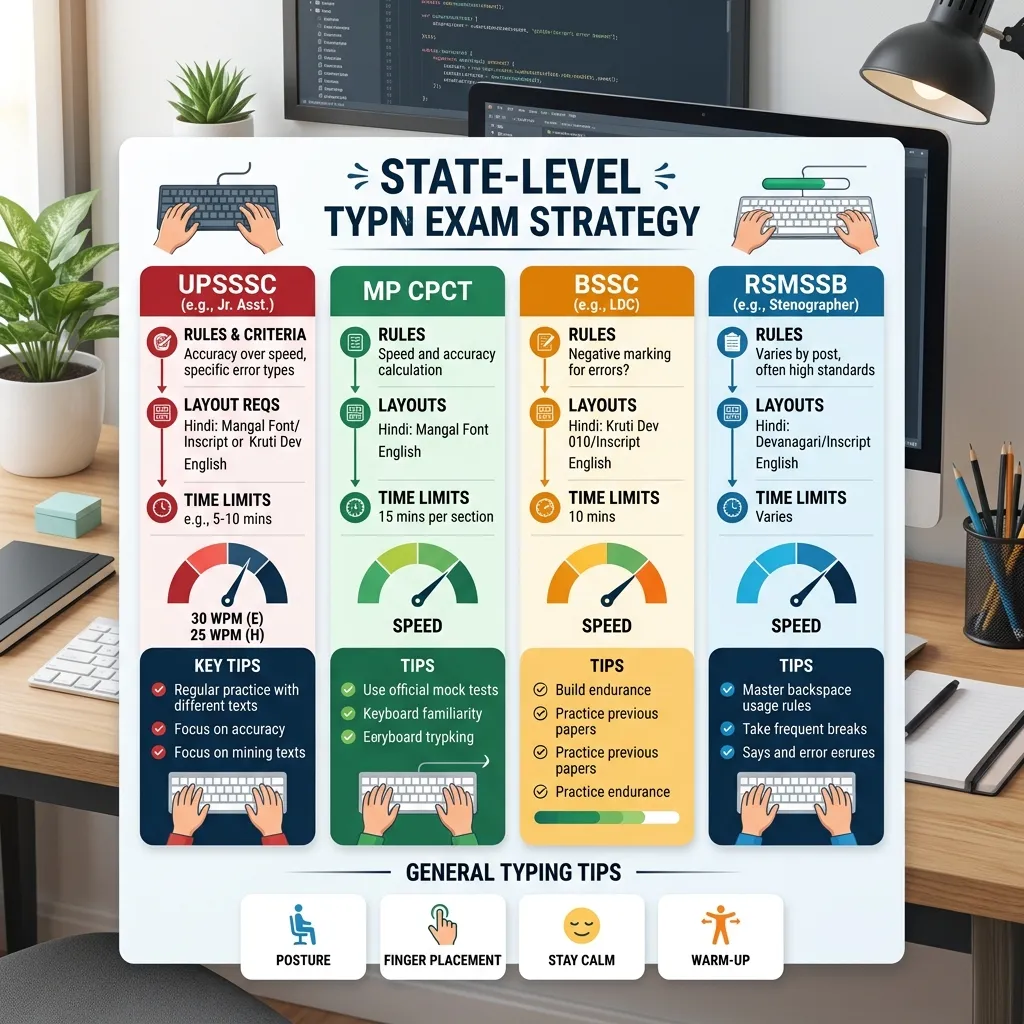
A large number of appointments are made for the posts of Clerk (LDC), Junior Assistant, Patwari, and Stenographer in exams conducted by State Public Service Commissions and Subordinate Services Selection Boards (like UPSSSC, RSMSSB, MP PEB, BSSC, JSSC, etc.) in India.
The final and most decisive gateway to success in these exams is the—Computer Typing Test.
It is often seen that candidates score very good marks in the written exam, but fail at the last moment due to a lack of proper knowledge of typing exam rules, keyboard layouts (like InScript or Remington), and specific evaluation methods.
Since each state has its own examination board, their typing test system, required speed, acceptable Error Limit, and Efficiency Test rules differ significantly.
In this detailed strategy guide, we will discuss in depth the nuances of typing tests held in major states of India, keyboard layouts, speed calculation rules, and the best strategy to pass them.
---
# Examination Rules of Major States and Their Analysis
1. Uttar Pradesh (UPSSSC Junior Assistant)
The Uttar Pradesh Subordinate Services Selection Commission (UPSSSC) conducts a typing test in both Hindi and English for the posts of Junior Assistant and Clerk.
* Rules and Speed: A minimum speed of 25 WPM in Hindi and 30 WPM in English is mandatory. Passing in both languages is required. * Keyboard Layout (Hindi): InScript or Remington Gail on the Unicode-based Mangal Font. * Strategy: Candidates get a gap of only 5-10 minutes between Hindi and English in the UPSSSC exam. So get into the habit of typing both languages consecutively one after the other during practice. See our InScript Setup Guide on Windows/Mac to activate the InScript layout.
---
2. Madhya Pradesh (MP CPCT & Patwari)
A CPCT (Computer Proficiency Certification Test) scorecard is mandatory for government clerk, data entry operator, and patwari exams in Madhya Pradesh.
* Rules and Speed: A minimum speed of 20 WPM in Hindi typing and 30 WPM in English is required to pass. * Keyboard Layout: Remington Gail or InScript on Mangal Font. * Strategy: Both theory and typing are tested in the CPCT exam. Grading is given here according to speed (e.g. 50%+ score, 60%+ score), giving priority to candidates with higher marks in large recruitments. Get technical knowledge of Mangal Font from the Unicode and Mangal Font Guide to improve your preparation.
---
3. Rajasthan (RSMSSB LDC & High Court LDC)
The typing test of the LDC exams conducted by the Rajasthan Staff Selection Board (RSMSSB) and the Rajasthan High Court is considered the most difficult because its marks are directly added to the Merit List.
* Exam Structure (Total 100 Marks): * Speed Test: Hindi (25 Marks) and English (25 Marks) - 10-10 minutes. * Efficiency Test: Hindi (25 Marks) and English (25 Marks) - This includes practical testing of MS Word/Excel formatting, creating tables, setting headers-footers, and applying formulas. * Keyboard Layout: KrutiDev 010 or Mangal Font for Hindi. Check our KrutiDev to Unicode Guide for converting from KrutiDev to Unicode.
---
4. Bihar (BSSC LDC & Vidhan Sabha Clerk)
Accuracy is greatly emphasized in the Clerk exams of the Bihar Staff Selection Commission (BSSC) and the Bihar Legislative Assembly Secretariat.
* Rules and Speed: Minimum 30 WPM in Hindi and minimum 35 WPM in English. * Error Limit: The error limit in most exams in Bihar is very low (generally only 1.5% to 2% mistakes are acceptable). If the mistakes exceed this, the candidate is directly disqualified.
---
# Foolproof Strategies for Success in State Exams
1. Scientific Choice of Keyboard Layout
If you are starting from scratch, always choose the InScript Keyboard. It is the authorized standard of the Government of India, is very easy to learn, and will remain valid in all exams in the future. If you have already learned KrutiDev, you can choose Remington Gail. For a comparative study of both, see our InScript vs Remington Keyboard Guide.2. Allowance for Backspace and Its Rules
It is absolutely necessary to know whether the use of Backspace is allowed in your target exam or not: * UPSSSC and CPCT: The use of Backspace is permitted, but its excessive use decreases your Gross Speed. * Rajasthan High Court: Sometimes Backspace is completely blocked in the exams. * Strategy: Practice typing with Backspace turned off while practicing on TypeHindi.in. This will build your habit of typing correctly on the very first try. Read our guide on the 10 Most Common Mistakes in Hindi Typing to reduce errors.3. Screen-to-Screen vs Paper-to-Screen Practice
* Screen-to-Screen: Seeing the text written on the computer screen and typing it in the empty box below. * Paper-to-Screen: You are given a paragraph on a page (Hard Copy Paper) in the exam, and you have to type only by looking at the paper without looking at the keyboard or screen. * Strategy: If you have to type by looking at a paper in the exam, practice at home by placing a newspaper or a book near the keyboard. This will build your muscle memory very strongly. For more information, study our Muscle Memory Guide.4. Exam Room Simulation
When more than 100 candidates start typing together in the exam hall, there is a loud clatter of keyboards. This noise often makes new candidates panic and lose their rhythm. * Strategy: During practice, wear headphones and play 'Keyboard Typing Sound' background music on YouTube while typing. This will ensure you don't get distracted on the day of the exam. * Visit TypeHindi.in daily to test your speed and accuracy on a daily basis and take an exam-based Mock Test.---
# Other Important Links and Resources: * To understand various career opportunities: How to Build a Career by Learning Hindi Typing * For specific preparation for the Stenographer post: SSC Stenographer Skill Test Strategy * To increase efficiency in office work: Tips to Increase Hindi Typing Speed for Office Work * List of LDC rules for various states: State-wise LDC Typing Rules * Contribution of typing in Digital India: Role of Hindi Typing in Digital India
---
# Frequently Asked Questions (FAQ)
Will I be allowed to use my own keyboard in the exam hall?
No, according to government rules, no candidate is allowed to bring their keyboard to the exam hall. You will have to type only on the keyboard provided by the exam center.Which brand of keyboards are available at the exam center?
Standard keyboards like Dell, HP, Lenovo, Acer, or TVS Gold are usually available at exam centers. Their buttons can be a little stiff or heavy, so do not practice only on a soft laptop keyboard at home; use an external desktop keyboard instead.How to prepare for the Efficiency Test?
Acquire deep practical knowledge of MS Word and MS Excel for the Efficiency Test. Practice paragraph formatting, borders, inserting tables, page setup, headers-footers, and basic formulas (like Sum, Average) thoroughly.---
# Conclusion
Passing the typing test for state-level exams is not a difficult task, provided you have the right direction, select the right keyboard layout, and have a habit of regular practice. Incorporate the rules of your target exam (like backspace, time, and layout) into your practice routine from day one. Keep Accuracy above speed, and ensure your success by practicing scientifically with TypeHindi.inTypeHindi.in!